
Heroes of Might and Magic III Remake Controls
What preview players actually used: a free 3D camera, a range overlay, and a less cryptic town screen.
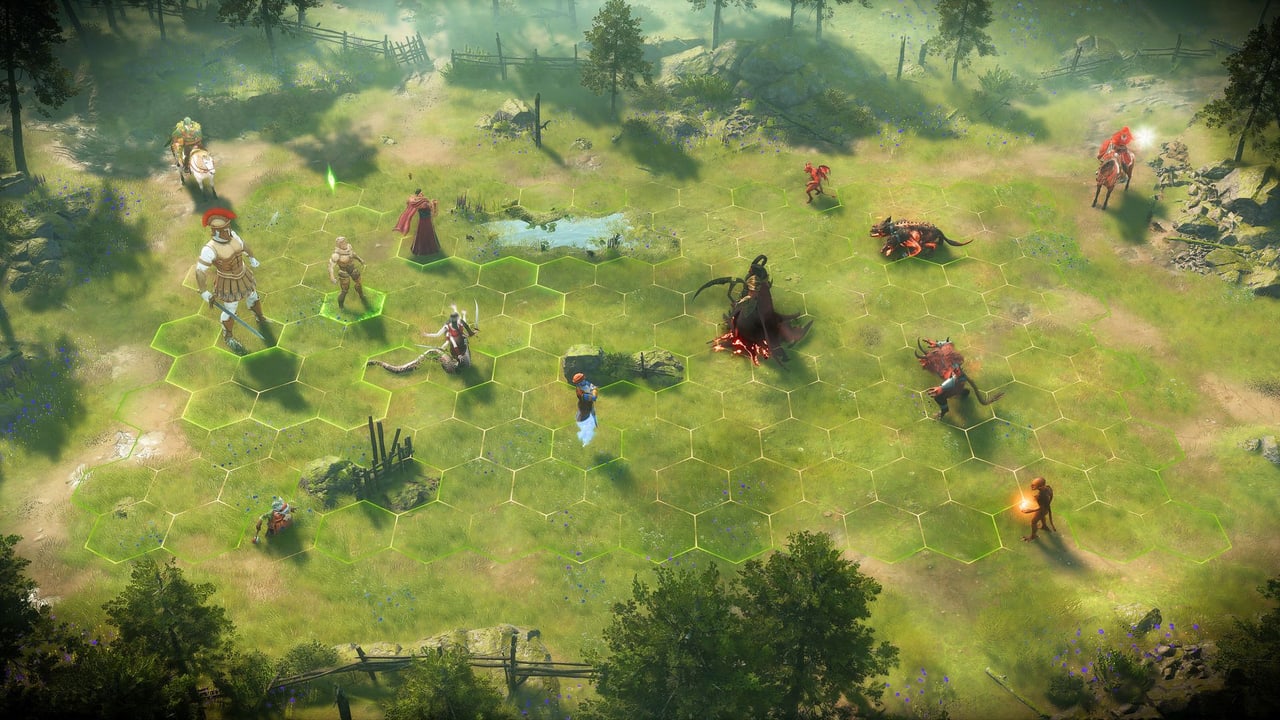
Heroes of Might and Magic III Remake has not published a final retail key list, but hands-on coverage is consistent about how the new presentation is meant to be driven. This page collects those preview controls, maps them onto the original keyboard habits veterans still have in muscle memory, and flags what will differ on PlayStation 5 and Xbox Series when the 2027 console versions ship.
Camera and the adventure map
The original game used a fixed isometric view. The remake rebuilds maps in 3D with free camera control, zoom, and a strategic overhead mode that simplifies hero icons when you pull the view back. On PC, expect standard strategy-cam behaviour: right-mouse or middle-mouse drag to orbit, scroll wheel to zoom, edge-scroll or WASD to pan. Preview players mentioned that battle cameras can also move around the field so you can watch a siege from a useful angle instead of a locked portrait.
Do not confuse the pretty camera with extra movement points. The hero still walks a path on the adventure map. Roads, terrain, and Logistics decide distance. The camera only changes what you can see. If you lose a hero in the 3D clutter, zoom out. Several previews said object readability on the map improved once they stopped staying at cinematic height.
The Alt overlay is the new essential bind
Rock Paper Shotgun’s hands-on called the battle range overlay the best quality-of-life change in the build they played. Hold Alt to see movement and shooting range for your stacks and for the enemy. In the original, that information existed as a click-and-hope outline. In the remake, it is a dedicated hold. Bind it somewhere you can tap every action. If you came from the 1999 game and you skip this overlay, you will eat shots you would have avoided in HD mods that already showed ranges more clearly.
Until Ubisoft publishes a final PC list, treat these original shortcuts as the working set and verify them in the remake’s settings:
- End Turn / space — end the day after every hero has moved or is resting.
- Spellbook — open during battle and on the adventure map for Town Portal and Dimension Door once you have them.
- Next hero — cycle idle heroes so a mule does not sit with leftover movement.
- Kingdom overview — the old “K” style screen for seeing every town and hero; expect an equivalent, because eight-player games are unplayable without it.
- Wait / Defend / Retreat — battle stance buttons. Wait still passes to the second round of the round. Defend still adds a defensive bonus.
Towns and recruiting
The town screen is the other control story. IGN’s preview said the new layout is easier to decode than the original’s maze of clickable windows. You no longer hunt for the tiny doorway that upgrades the Griffin Tower. A build queue lets you line up tomorrow’s structure if you have the resources. Mass recruiting buys several dwellings in one visit instead of entering each hut. None of that removes the one-building-per-day rule. It only removes the misclick.
Preview builds also play a short arrival scene when a hero enters town. That is flavour. The useful habit is still: enter town, recruit, visit the Mage Guild if a new spell dropped, check the tavern, leave with a plan for the next tile.
Console considerations
PlayStation 5 and Xbox Series versions are part of the 2027 launch, which the original never had in this form. Expect a radial or bumper-driven command set for Wait, Defend, and spells, and a heavier reliance on the range overlay because a cursor on a gamepad is slower than a mouse. Hot Seat on a single console is the local option; it is not split-screen action, it is passing the pad between turns. Online play on consoles should use the same eight-player matchmaking described in the multiplayer guide.
Accessibility is still a blank. If you need remappable keys, colour-blind creature outlines, or a text-size slider, watch the first settings video after a beta, not this page. We will update binds when Ubisoft publishes them.
Practice plan
Open the how to play guide for the rules the keys are serving, then the combat guide for when to Wait versus when to commit a flyer. If you are teaching someone on a couch, write the Alt overlay, Next Hero, and End Turn on a sticky note. Those three actions prevent the classic beginner mistakes: moving the same champion twice, forgetting a scout, and walking a stack into unknown range. The rest of the keyboard is comfort.
Frequently Asked Questions
Quick answers for new commanders and returning veterans.
Are the final PC keybinds published?
Not as a complete retail list. This page combines preview reports (especially the Alt range overlay — yours and the enemy's — and free camera) with original Heroes III habits you should verify in settings.
Will the original HD shortcuts still work?
Do not count on one-to-one copies. The remake has new screens. Rebind after your first prologue mission.
Is there split-screen?
Hot Seat is the local mode. That is sequential turns on one machine, not two cameras on one monitor.