
Heroes of Might and Magic III Remake Photo Mode for Heroes III Remake
The Snowdrop camera finally does what the 1999 static map could not.
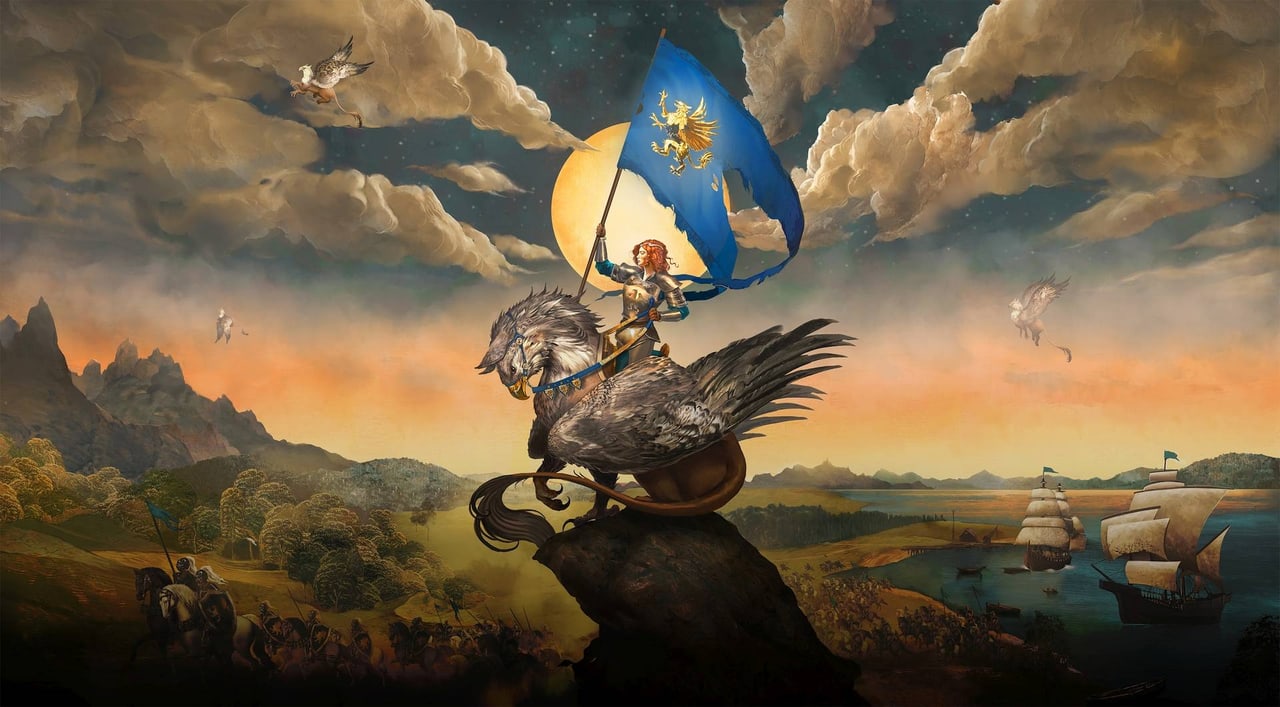
Photo mode is the smallest but most visible Snowdrop addition to Heroes of Might and Magic III Remake. The 1999 game had a fixed isometric camera; the remake ships a free camera, dynamic lighting, real-time weather, and shifting seasons — the four ingredients that turn a strategy game into a photo set. This page is the photo-mode primer.
What the gamescom build showed
The hands-on coverage that Ubisoft gave press in August 2026 confirmed a free-roam camera with rotation, zoom, and tilt, plus a depth-of-field slider. Snowdrop is the same engine used for Star Wars Outlaws and Avatar: Frontiers of Pandora; its photo mode is one of the best in the strategy genre already. Heroes III Remake inherits the photo-mode quality of those titles and applies it to a much smaller and more stylised world.
The trailer and the press demos included shots of:
- Castle towns at dawn, with the new dynamic lighting and weather.
- Dungeon interiors lit by hanging braziers.
- Battlefield overheads pulled back far enough to show the entire map.
- Creature close-ups: Black Dragon, Angel, Behemoth, Phoenix.
What photo mode is good for
Heroes III has always been a screenshot-friendly game because the creature art is recognisable. The remake turns the screenshots into a portfolio:
- Creature portraits. The new 3D models have idle animations that the photo-mode timeline can pause. A Behemoth mid-stomp is much more interesting than the original Behemoth icon.
- Town establishing shots. The remake’s town-building update adds queueing and Plan Mode; a Plan Mode shot with the build overlay is a useful screenshot for any guide writer.
- Battle panoramas. A wide pull-back during combat shows the new range overlay (Alt-held) and the unit placement that the 2D client could only approximate.
- Cinematic moods. Dynamic lighting + shifting seasons means the same Castle looks different in autumn and winter. The weather slider lets you lock rain on a forest battle and turn the screen into a painting.
Camera tools the remake likely ships with
Photo modes on Snowdrop tend to expose:
- Free camera with rotation, translation, and zoom.
- Depth of field with focus distance and aperture.
- Exposure and color grading sliders.
- Field of view presets (35mm, 50mm, 85mm, 135mm) for compositional control.
- Time of day override so a screenshot does not depend on the in-game day.
- Weather override so a screenshot does not depend on the in-game weather.
- Season override so a screenshot does not depend on the in-game season.
Not every slider is guaranteed to be in the remake. Photo mode is a small enough feature that Ubisoft may simplify. The wiki will confirm the sliders by hands-on after launch.
How to use photo mode without breaking immersion
Photo mode pauses the simulation. You can leave combat, the adventure map, or a town visit in any state and return to the same state when you exit photo mode. This is the same pattern as Ghost of Tsushima and Death Stranding. The pause is honest: no time is lost, no resources are spent.
For strategy players who do not usually pause for screenshots, the practical workflow is:
- Get your hero to a scene you want to capture (a town, a battlefield, a map border).
- Open photo mode, frame, save.
- The screenshot ends up in your OS’s screenshot folder or in a Ubisoft-defined photo gallery.
What we will not promise
The wiki will not promise a specific resolution, a specific export format, or a specific sharing button until Ubisoft publishes a photo-mode FAQ. Treat any pre-launch claim about 8K RAW export, NFT watermarks, or social share buttons as wishlist items.
The wiki will also not promise mod support for the photo mode. Photo mode is read-only by design; the camera does not affect gameplay, so a mod hook for photo mode is not on the public roadmap. The map editor and the UGC hub are the mod surfaces that matter.
What this page becomes after launch
When the public build lands in 2027, this page will:
- List the actual photo-mode sliders with a screenshot per slider.
- List the camera key binds, on PC and on console.
- List the in-game hours that work best for screenshots (dawn, dusk, midnight).
- Link to the best community photos in the community maps hub.
Until then, this page is the bookmark for the day the screenshots stop being press-only.
Frequently Asked Questions
Quick answers for new commanders and returning veterans.
Does the remake have photo mode?
Yes. Confirmed in the gamescom 2026 press demos. The free-camera and depth-of-field sliders are visible in the trailer.
Does photo mode pause the game?
Yes. Photo mode pauses the simulation. No time or resources are lost while a screenshot is being taken.
Can I share screenshots?
Yes, screenshots save to the OS gallery. An Ubisoft-specific share flow has not been confirmed for launch.
Are there weather and season overrides?
Almost certainly yes. Snowdrop photo modes usually include them. Final confirmation comes from the public build.